alpino navi · bike computer
Navi on a bike computer of its own
The routes you plan on Alpino, on your handlebars with your phone in your pocket: turn by turn, with the map of the route, what's ahead and the climbs. It syncs over WiFi and brings your rides into your account. One firmware for several devices — pick the one that suits you.
The hardware
- Runs today
Cheap Yellow Display
ESP32-2432S028R · a bare development board
The cheapest way to ride it: the same firmware as on the CC700 Pro, made to fit a small board.
- Screen
- 2.8″ colour TFT, 240 × 320
- Touch
- Resistive, large controls for gloves
- Chip
- ESP32, 4 MB flash
- GPS
- An add-on module (u-blox M10), or your phone's over Bluetooth
- Battery
- None: runs from a USB power bank
- Weather
- A bare board: it needs a case
- Connections
- Bluetooth, WiFi, microSD
- Price
- About €15, plus about €10 for the GPS module
Good for: Trying Alpino Navi on a bike computer for little money, and tinkering.
- Runs today
GEOID CC700 Pro
A finished bike computer
A bike computer you can buy ready to ride: waterproof, with its mount and a battery for a long day.
- Screen
- 2.8″ colour TFT, 240 × 320
- Touch
- Capacitive, and three buttons
- Chip
- ESP32-S3, 16 MB flash, 8 MB PSRAM
- GPS
- Built in: GPS, Galileo, GLONASS, BeiDou
- Battery
- Built in, 15 to 25 hours (the maker's figure)
- Weather
- Waterproof (IPX7), with its mount, 104 g
- Connections
- Bluetooth, ANT+, WiFi
- Price
- About $100
Good for: Riding without any tinkering: Alpino Navi on a device made for the bike.
- Next up
LilyGO T-Display-P4
AMOLED version · a development board with GPS
A large, sharp screen with the power to match: room for a detailed map and smooth motion.
- Screen
- 4.1″ AMOLED, 568 × 1232
- Touch
- Capacitive
- Chip
- ESP32-P4 and ESP32-C6, 16 MB flash, 32 MB PSRAM
- GPS
- Built in (L76K)
- Battery
- Built in, with a fuel gauge; long rides need an extra battery
- Weather
- A bare board: it needs a case
- Connections
- Bluetooth 5.3, WiFi 6, USB-C; speaker and vibration
- Price
- About $120
Good for: The biggest screen and the most detail, if you're happy to put it in a case.
What it does today
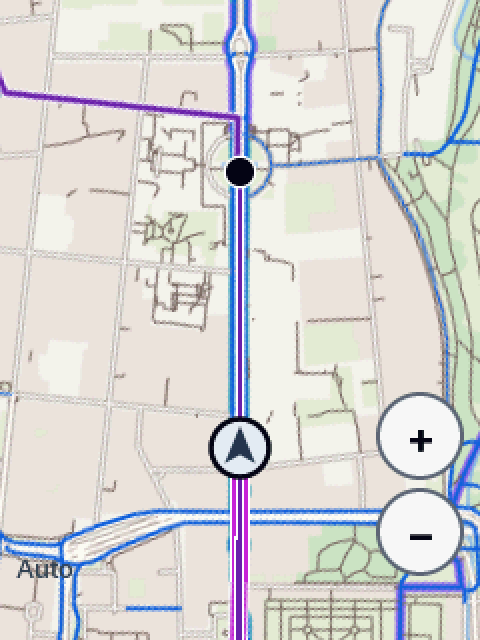
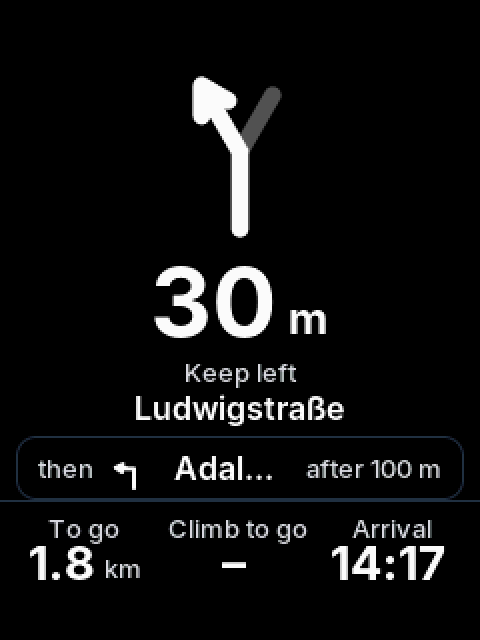
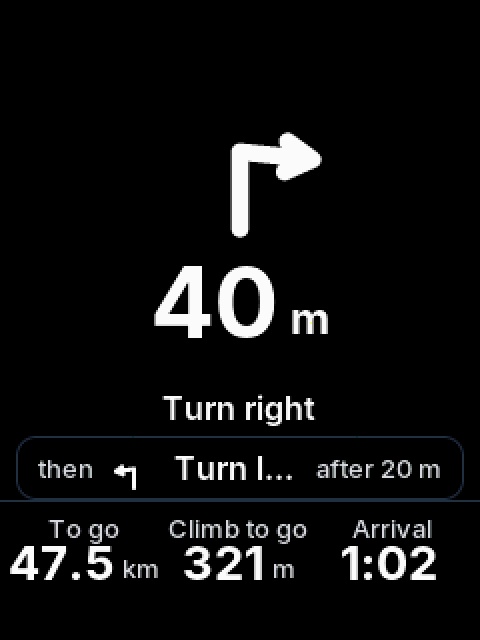
- Turn by turn, with the next turn and the one after it
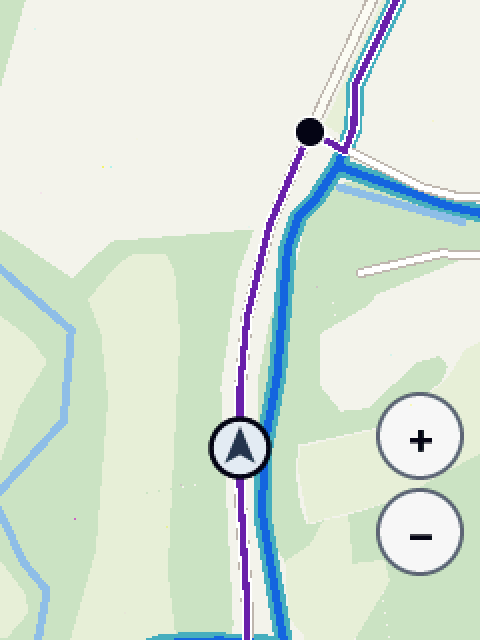
- The map of the route's corridor, the bike network first
- Water, food, shelter, bike shops and toilets ahead, with their distance
- The climbs of the route, with what is left of the one you're on
- Day and night colours, switched by the sun where you are
- Heart rate, speed, cadence and power sensors over Bluetooth
- Records your rides and brings them into your account
- Syncs your routes and map regions over WiFi, onto a microSD card or the device's own storage
- Riding free without a route, with the map around you
- Set up on the device alone: WiFi by WPS or a hotspot, your account by a code
Installing
- Plug the device into your computer by USB.
- Open this page in Chrome or Edge, sign in, and press Install for your device. A first install saves a backup of the device to your computer.
- Link it to your account with the code it shows. That's all: no tools, no building.
Good to know
- On the GEOID CC700 Pro, Alpino Navi replaces the maker's whole firmware, with a partition table of its own. The installer saves a full backup of the 16 MB flash to your computer first: putting it back is the way to the maker's firmware. Keep the file, and to yourself: it can hold your WiFi passwords.
- The USB cable in the CC700 Pro's box only charges. Installing needs a USB-C data cable.
- On Linux, your user needs access to the USB port, usually as a member of the dialout group.
- The Cheap Yellow Display gets its updates over the USB cable, from this page; the CC700 Pro also over WiFi. Your settings, routes and rides stay either way.
- The Cheap Yellow Display shows the ride views you arrange in Alpino Navi on your phone or on the CC700 Pro; they can't be edited on it.
- Installing other firmware on a device is at your own risk and may affect its warranty.
- Alpino is not affiliated with GEOID or LilyGO. The names are their owners' trademarks.
Alpino Navi on your phone
Open Alpino Navi